
A cozy little log for your baby’s day.
Little Steps takes the guesswork out of daily baby care. Easily track growth, pumping, sleep, and routines in one clean interface, automatically synced for parents and helpers. Less time tapping, more time sleeping.
Free to start. Pro is a one time $4.99 unlock, not an ongoing subscription.

On a laptop? Point your phone camera here to get the app.

What you can track
Everything a day holds, in one tap.
Nine categories come built in, each with a forest-themed animal to accompany it: a hedgehog in a diaper, a bear cub with a jar of milk, an otter figuring out how to use breast pumps. Everything brought together to make it easy to remember what happened and when it happened.
The experience is yours to arrange, so the things you log twenty times a day are easier to find and faster to log.

Tuesday, 14 October
3:14
 Feeding RowanLeft side11:42
Timers
Start it, then put the phone down.
Feeds, pumping and sleep run on a timer you can walk away from. It appears on your Lock Screen and in the Dynamic Island, so you can stop it or switch sides without unlocking anything, one handed, in the dark.
Never lose track of your progress again. Unlike other apps that lose your timer if you try to do something else, Little Steps recognizes that you are busy and makes it easy to keep track of where things are at.
- Left and right tracked separately, with a nudge about which side is next
- Close the app, lock the phone, take a call. The timer keeps counting
- Forgot to stop it? The app notices and offers to pick it back up
Sleep Trail
Sleep patterns built on trends, not rigid schedules.
Once you have logged a few days, Sleep Trail goes to work, translating raw entries into a clear picture of your baby's actual routines. It spots the real wake windows your little one keeps, tracks how many naps their day has settled into, and highlights where the next nap is likely to land. Nights are grouped by how sleep actually feels rather than fixed clock times, so a 6:30pm bedtime is recognized as night sleep, and a quick 7:00pm catnap is not.
Every suggested window comes with the reason it was drawn. You always see what it was based on, so you can judge the number rather than take an algorithm on faith.
- Built strictly on your baby: Every prediction comes from your child's actual data, not a generalized statistical average from other babies.
- Realistic ranges: Typical times are shown with their natural variation, giving you a realistic range of predictable times rather than an unrealistic target.
- Two-week visual trends: At-a-glance visual timelines pinpoint where sleep routines are settling into place.
- Honest by design: Below a few tracked days or when patterns are still shifting, Sleep Trail waits for a real pattern rather than making a confident guess.
Sleep Trail
Built from the last 12 days Rowan was tracked
Likely nap window
2:10 to 2:50 pm
Based on the last 12 days
Sleep over the last two weeks
Tap a day to see its times.
The grey afternoon nap has not settled into a shape yet, so it is not claimed as one.
Nights
Made for 3am.
When it gets late the whole app changes with you. Warm candlelight instead of a white screen in your eyes, nothing bright enough to wake the baby you just spent forty minutes getting down, and the same buttons in the same places so you do not have to think.
It turns itself on when the sun goes down, or any time your phone is in dark mode. One tap overrides it if tonight is different.
Growth
WHO Child Growth Standards
Growth
Baby growth charts you can bring to an appointment.
Weight, length and head circumference, plotted from birth to 36 months with a percentile for every measurement you enter. Little Steps uses the WHO Child Growth Standards by default, which is what the CDC itself recommends for babies under two, and the CDC charts are one tap away.
Curves are specific to your little one’s age and sex, so the number you see is the number the pediatrician is looking at.
The chart shown here is an illustration. Inside the app, percentiles come from the published WHO Child Growth Standards and the CDC growth charts, reproduced without alteration. WHO does not endorse Little Steps.
Sharing
Everyone who helps, on the same page.
Invite your partner, a grandparent or a nanny with a code they can scan or type. They get the same details you have, on their own phone, and anything they log is shown to you as well.
Each invite has security built in and expires after seven days. Whoever accepts it also has to know that child’s birth date. You can see everyone who has access, and remove anyone, at any time.
Sharing is free, on both ends. Nobody has to buy anything to send an invite or to accept one, and everyone signs in as themselves.

Your own events
Track anything you like, with a creature of its own.
Tummy time, physio, custom meds, or anything else. Name it, pick a creature, and it joins your [+] menu with an optional timer and a few questions of your own. Share it with the family and everyone can use the custom events you made.
These ten are the creatures waiting to join your custom need. Pick whichever creature you like, and each brings its own colour with it, so a custom event looks like it belonged there all along.






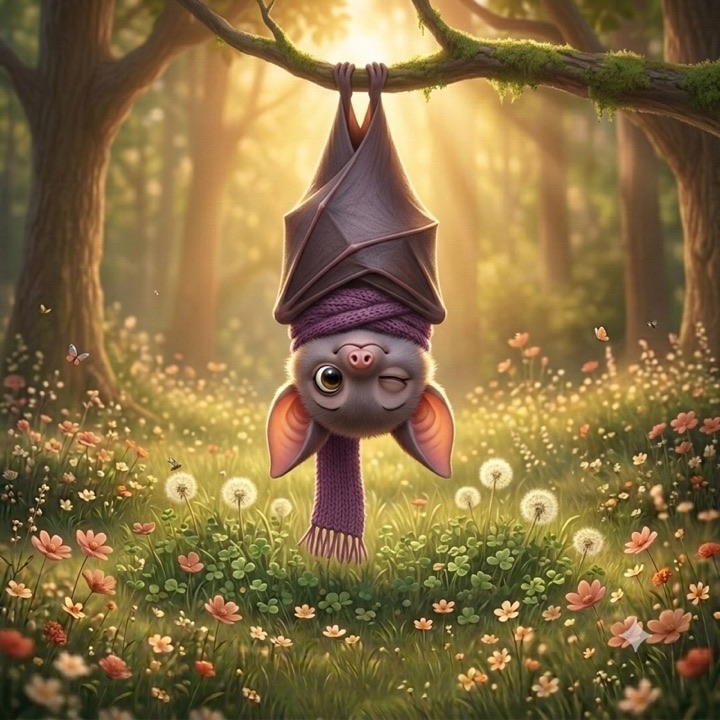



Every entry you save gets its own small celebration. It is a small detail, but it takes what is normally a tedious task and makes it fun.
Also inside
The things you start wanting around week three.
Insights
Feeds a day, diapers a day, how much you pumped, drawn over time so a patterns become visible.
A doctor report
Feeds, sleep, diapers and growth for the last week or month on one page, laid out to be printed and handed over at a check up.
Reminders
A nudge when it has been a while, set per activity, delivered by your phone whether the app is open or not.
Any day, quickly
Jump straight to a date instead of scrolling back to it. Quickly find whatever you need.
More than one
Twins, or a toddler and a newborn. Each little one keeps their own logs, settings and growth charts.
Your layout
Arrange the [+] menu and choose which cards sit on the home screen. Your personal setup makes sure it reflects your unique needs.
Yours to delete
Clear all data, or delete the account entirely, from inside the app. No email to us required.
Pricing
One purchase, and then never again.
Little Steps is free to use for as long as you want. Pro is a single $4.99 unlock, not a subscription. No monthly plan, no annual plan, nothing to remember to cancel. Pay once and it stays unlocked.
Free
Everything you need to keep the day
$0
- All nine tracking categories, logged as often as you like
- Growth charts and percentiles, WHO and CDC
- Timers for feeds, pumping and sleep, shared across caregivers
- Night mode, themes, units and multiple little ones
- Up to 5 of your own custom events
- Your own [+] menu and home screen layout
- Invite caregivers to share a little one
Pro
For when you want to see the patterns underneath
$4.99 once
- Everything in Free, plus
- Live timers on the Lock Screen and Dynamic Island
- Insights, data charted over time
- Sleep Trail, your little one’s own sleep rhythm
- A printable doctor report for check ups
- Reminders for any activity
- Jump to any day in your history
- Custom medication schedules and reminders
If $4.99 is not realistic for your situation right now, email us at hello@littlestepsforlittleones.com and we will waive it. No explanation needed.
Your little one’s day stays yours.
No ads, and your data is never sold. Your logs sit in your private account behind access rules, so only you and the caregivers you invite can open them. There is no third party analytics or tracking in the app, and you can delete everything, account included, without asking us.
Read the privacy policyQuestions
The ones we get asked.
Is Little Steps really free?+
Yes. All nine tracking categories, unlimited entries, growth percentiles, timers, night mode and sharing a little one with other caregivers cost nothing and always will. Pro is a one time $4.99 unlock for Sleep Trail, Insights, reminders, jumping to a date, and custom events past 5.
Is there a subscription?+
No. Little Steps is the rare baby tracker with no subscription at all. Pro is a single $4.99 in app purchase that stays unlocked, on every device you sign in on, for as long as you use the app. There is no monthly plan and no annual plan to forget to cancel.
Do my partner and I both have to buy it?+
No. Sharing a little one is free, so neither of you has to buy anything to log the day together, each on your own phone with your own sign in. If one of you wants Pro, that unlock is per account.
Do I need an iPhone?+
The app is on the App Store for iPhone, and that is where timers on the Lock Screen and reminders live. There is also a web app that runs in any browser with the same account and the same data, which is handy on a laptop at the kitchen table.
Can I track twins?+
Yes. Add as many little ones as you have. Each keeps their own logs, growth charts and settings, and a switcher at the top moves between them.
What do I show the pediatrician?+
Growth gives you a percentile for every weight, length and head circumference you enter, on the WHO or CDC charts. Insights gives you feeds, diapers and pumped volume per day. Insights also builds a printable doctor report that puts feeds, sleep, diapers and growth for the last week or month on a single page.
What happens to a running timer if I close the app?+
It keeps running. Timers live with the little one rather than on the phone, so you can stop one from the Lock Screen, or find it still going on your partner’s phone.
Does it predict when my baby will nap?+
Sleep Trail does, once there are a few days of sleep logged. It works only from your own little one’s sleeps rather than an average of other babies, it shows you what each window was based on, and it deliberately says nothing when the pattern is still too loose to call. It is part of the Pro unlock.
Does Little Steps work offline?+
Logging needs a connection, because every entry is written to the shared account the moment you save it. That is what lets a second caregiver see a feed you logged thirty seconds ago without either of you doing anything.
Anything else, write to hello@littlestepsforlittleones.com. A real person answers, usually within a day.
Tonight goes easier when it is written down.
Start with one feed. The rest of the day tends to follow.
Free to start. $4.99 once for the rest.